
Page 1: Full Size Cover Template
- For Board Book (Self-Cover)
- 1:1 full size
- No scaling needed
- Includes front cover, back cover, and spine
- Includes bleed area
- Place over your artwork
- Hide or remove before final export
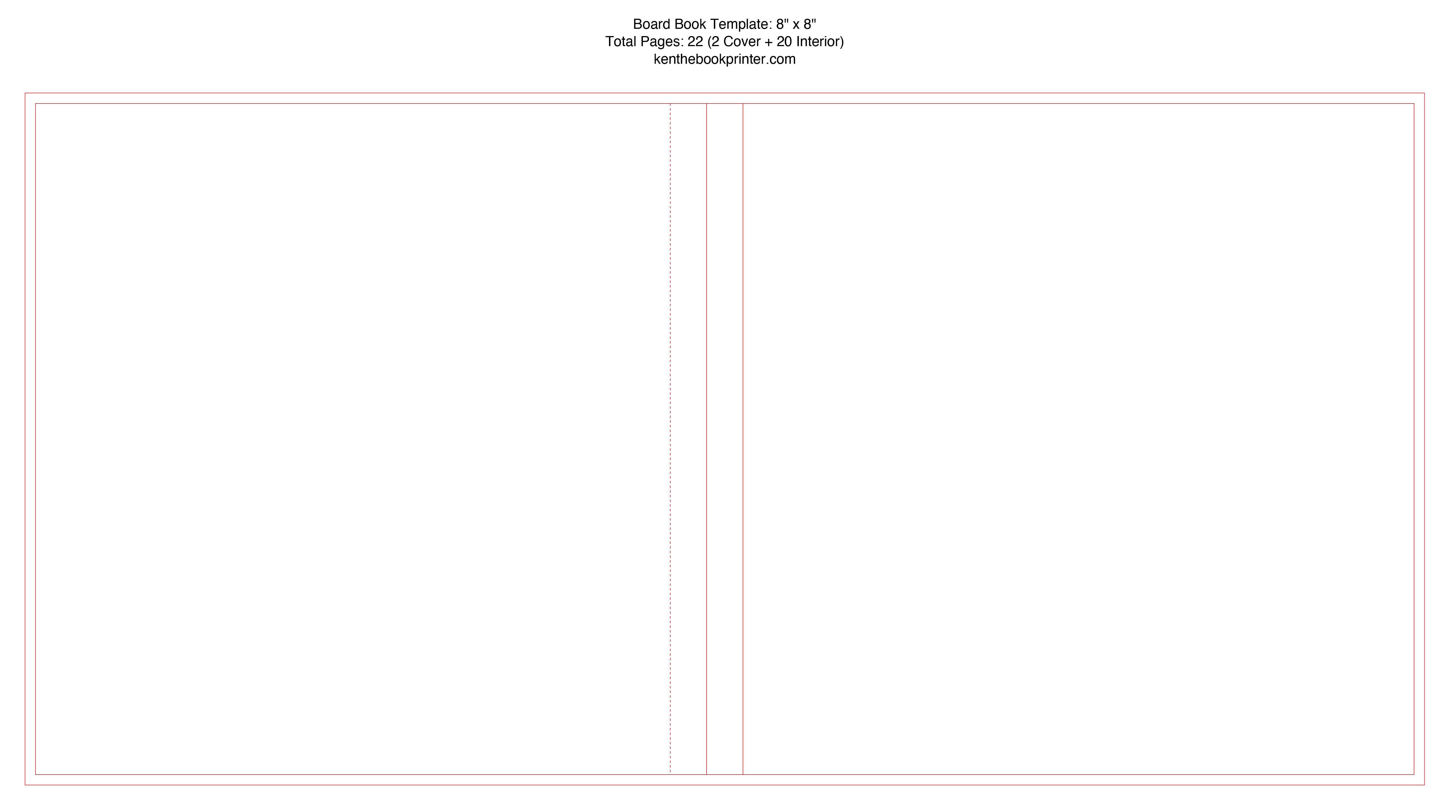
BOARD BOOK COVER TEMPLATE TOOL
Create a board book cover template PDF based on the finished book size and page count.
The template is for the full board book cover layout, including the back cover, spine, front cover, and bleed area.
Enter your finished board book size and page count. The generator calculates the spine and builds the full board book cover layout from your specs.
Your board book template PDF includes a full size cover layout, a dimension guide, and a photo reference page to help you visually understand the main cover components.
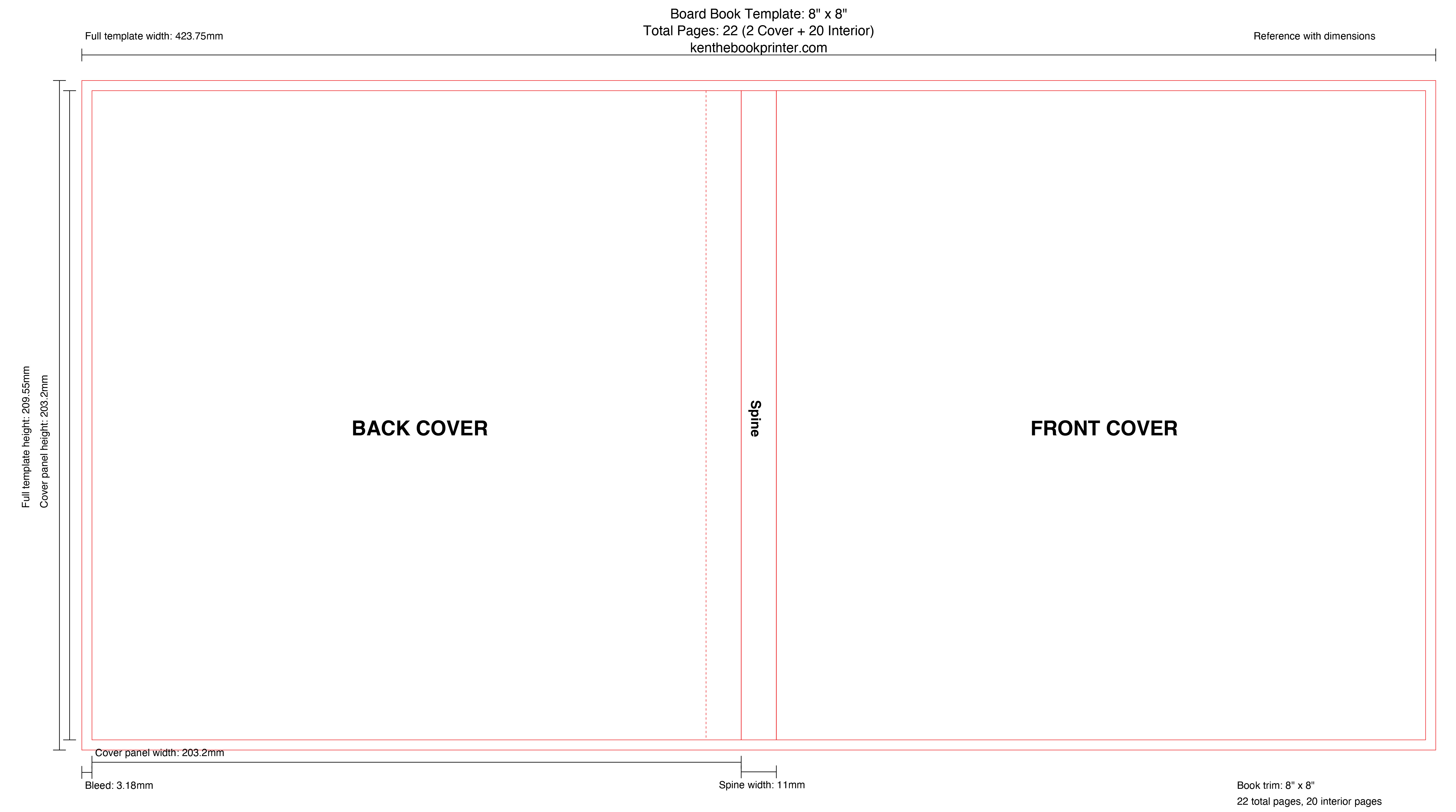
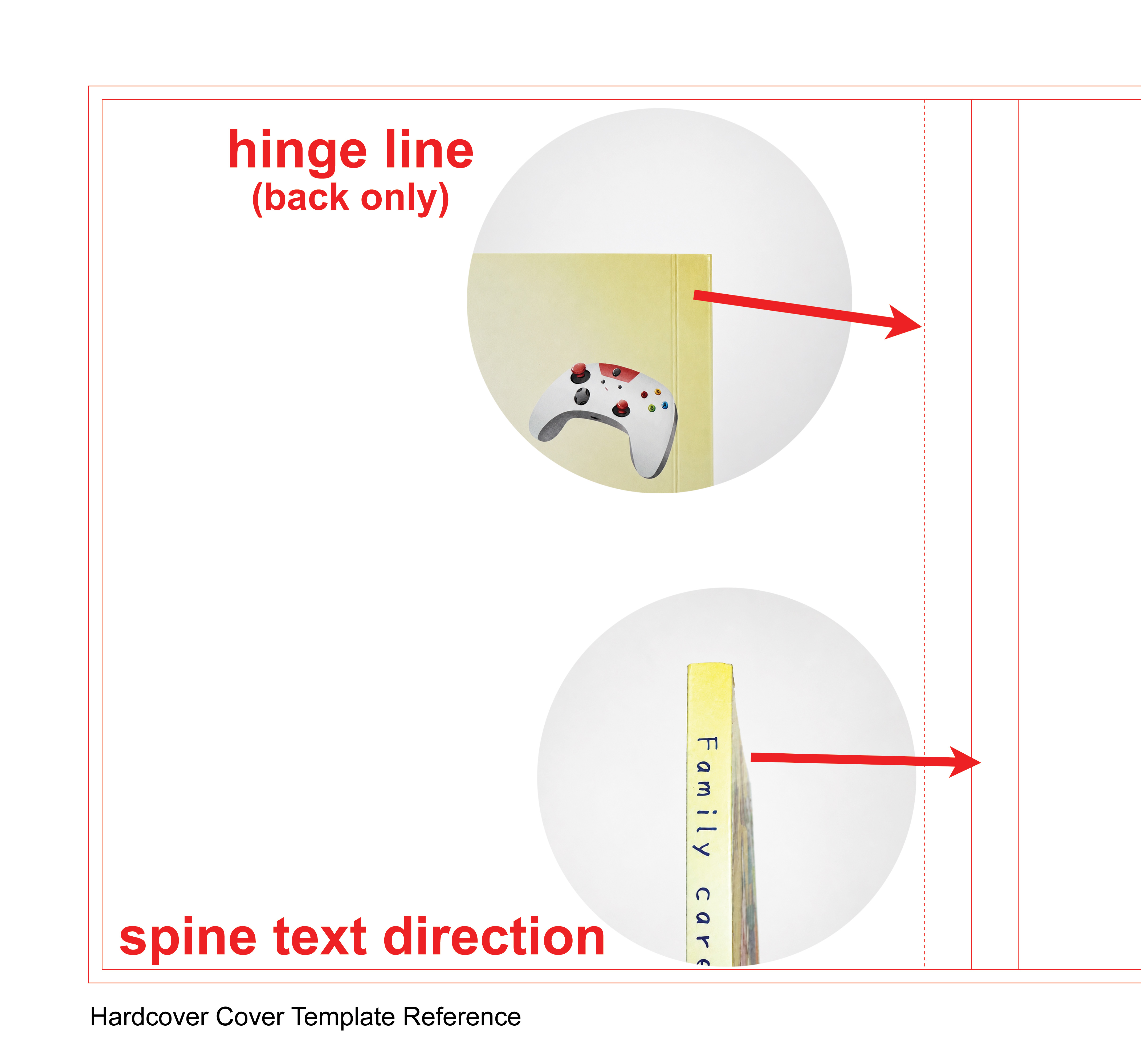
Common board book cover setup issues to check before final export.
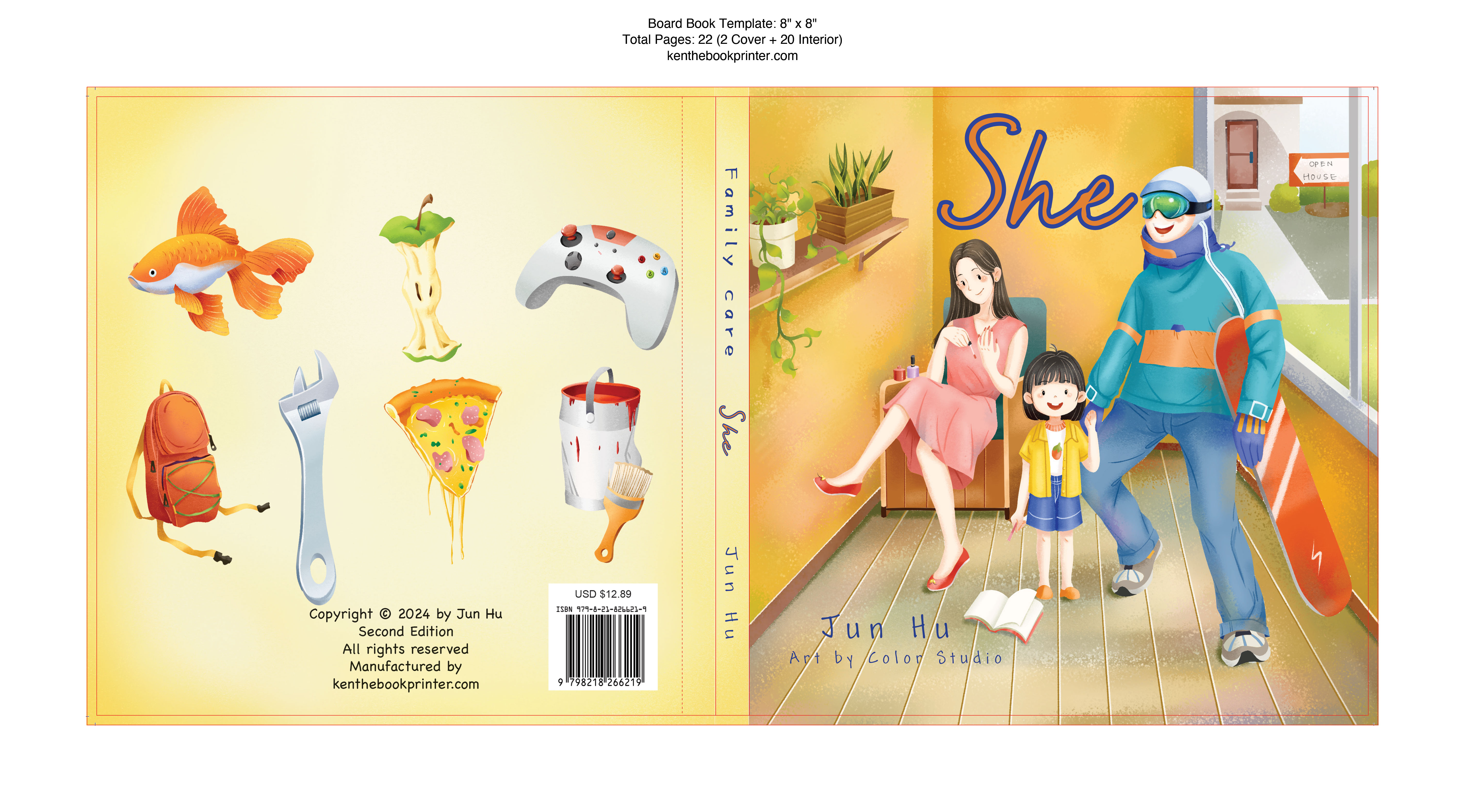
Extend background color, texture, or full bleed images all the way to the outer bleed line.

If artwork stops too close to the trim edge, small production movement can create an uneven finished edge after trimming.
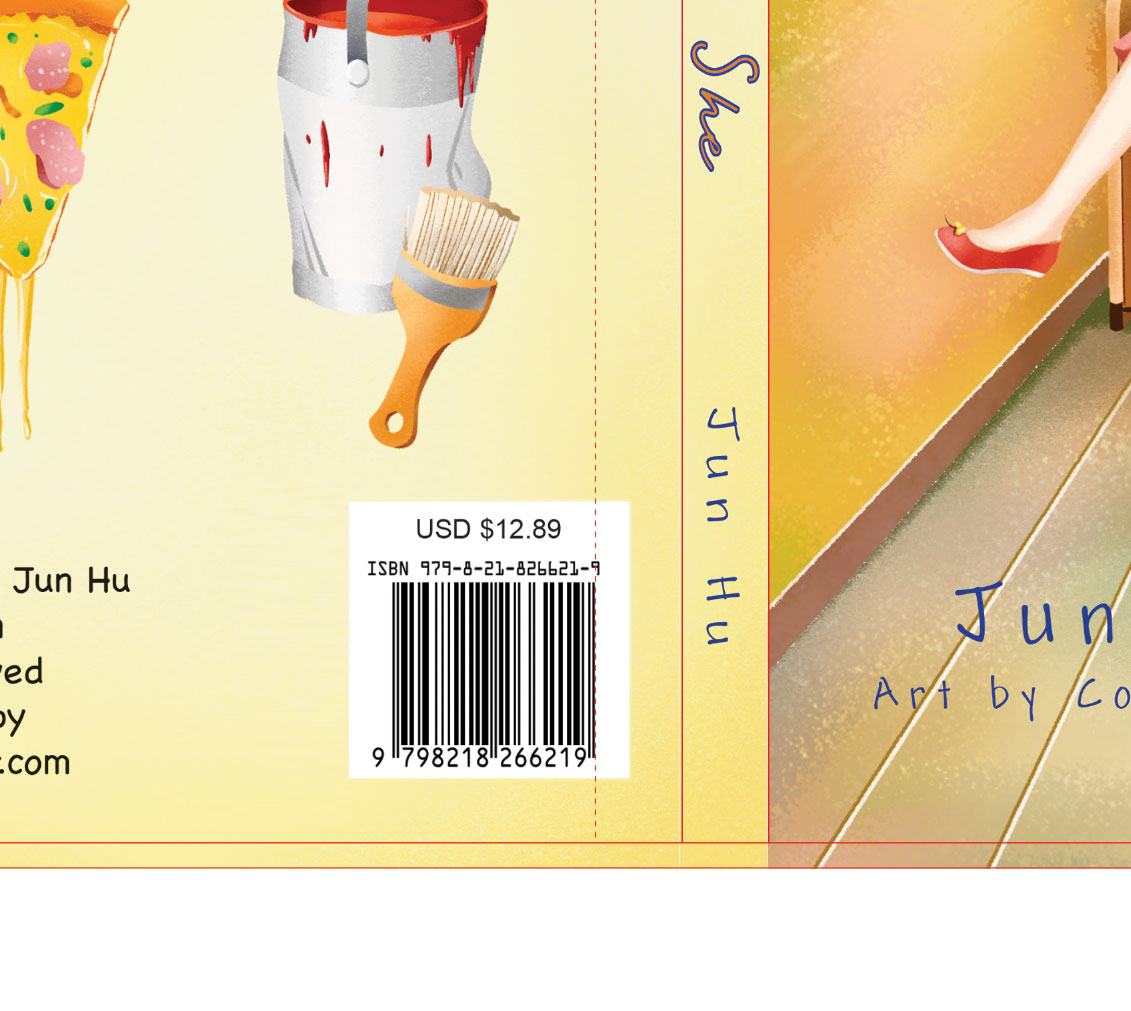
Keep logos, barcodes, and small text away from the hinge line so they do not bend or become hard to read.
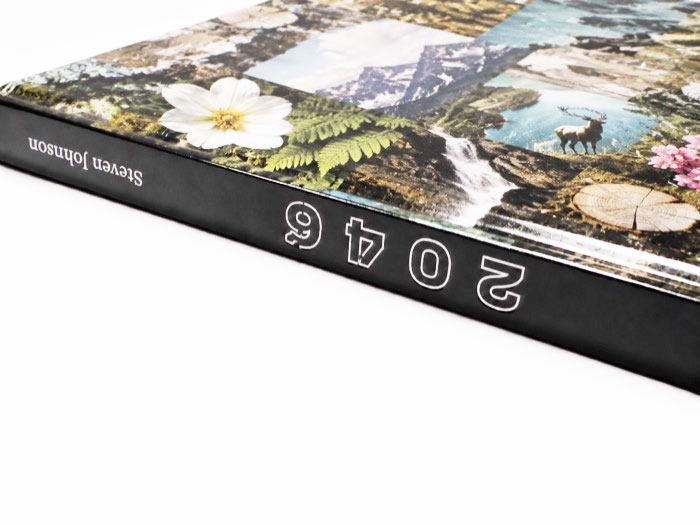
Check the spine text direction before export so it shows correctly on the finished book.
Use these settings when exporting your board book cover PDF for print. This is a standard setup for modern offset printing and a good starting point for Ken the Book Printer board book projects.
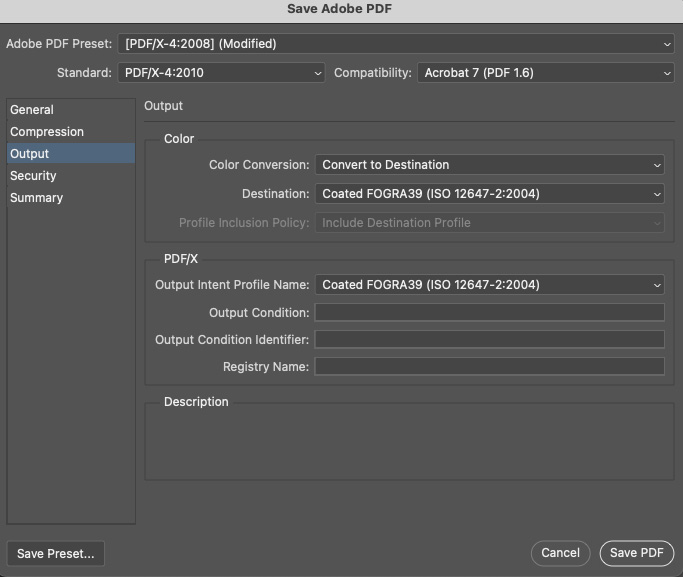
PDF presets and ICC color settings can get technical. For production, we mainly review the final CMYK values in the exported PDF, not whether every setting matches this screenshot. If your PDF opens correctly and the artwork looks right with no major color shift, missing artwork, or unexpected changes, it is generally ready to send for file review. For color-critical or complex projects, a printed sample is the best way to check the final result.
These preset PDFs are useful for quick planning, early layout, and checking common board book sizes. For final production artwork, use the custom template generator so the spine matches your actual page count.
Short answers for common setup questions. These will be refined with the final generator content.
Enter the finished size of the board book when it is closed. If the finished book is 8 x 8 inches, enter 8 for width and 8 for height.
Count the inside pages only. Each panel you can see counts as one page. When the book is open, the left panel is one page and the right panel is another page. The front and back cover are counted separately. For example, a board book with 20 inside pages is shown as 22P total: 2P Cover + 20P Interior.
No. This template generator is for standard self-cover board books, where the cover uses the same board material as the inside pages. For a board book with a hardcover case, please contact us and we can prepare a custom template for your project.
You can, but it is not the best option. It is better to generate the full cover template and place your artwork into the layout. This helps make sure the front cover, back cover, and spine line up correctly and reduces back-and-forth file checking.
Create your regular cover artwork with this template first. Then export a second PDF from the same template size and position for the embossing or debossing mask. This second PDF should only show the embossing or debossing area, usually in solid black, so it lines up correctly with the printed cover.