
Page 1: Full Size Cover Template
- For Perfect Bound Softcover Books
- 1:1 full size
- No scaling needed
- Spine width is auto calculated
- Place over your artwork
- Hide or remove before final export
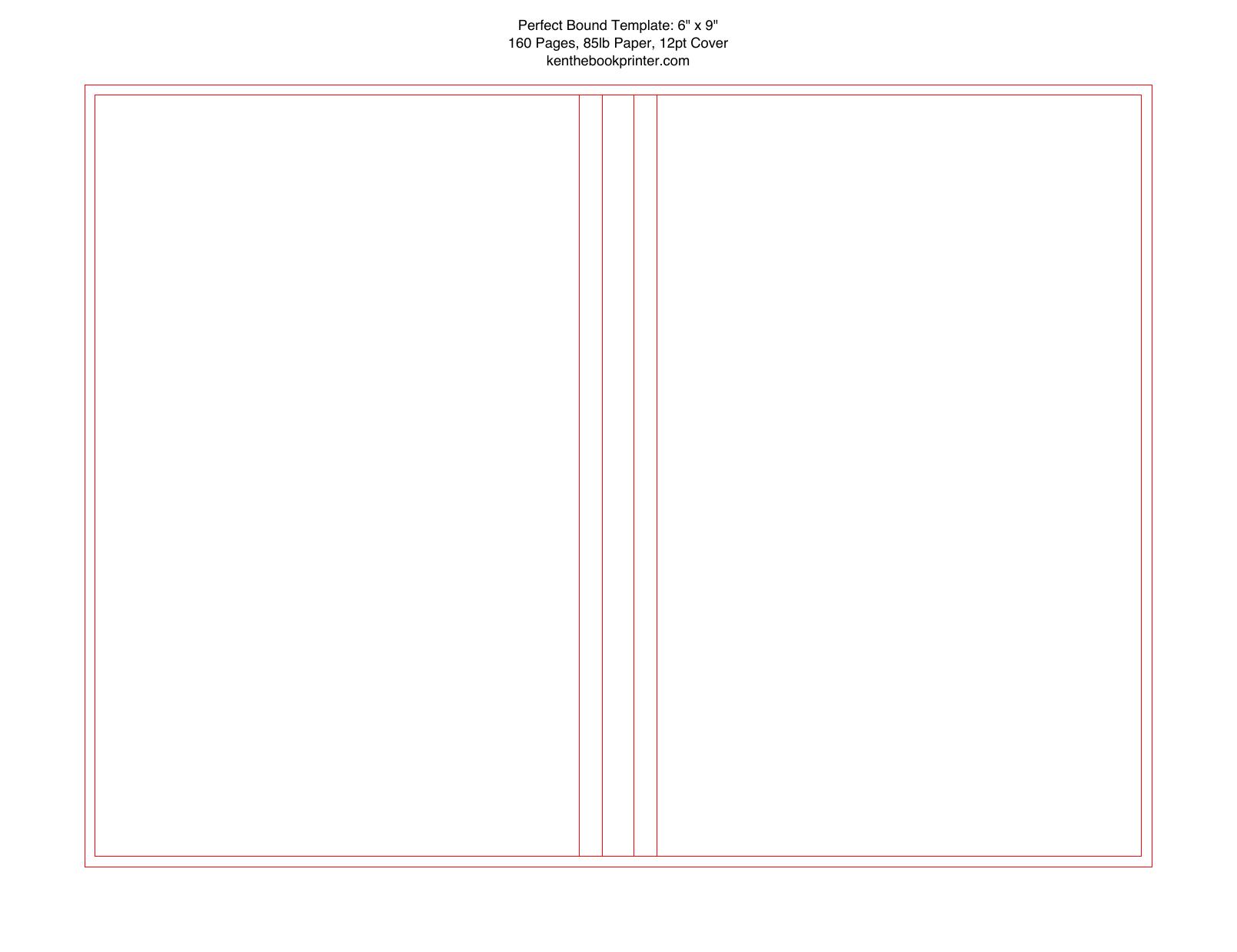
PERFECT BOUND COVER TEMPLATE TOOL
Prepare a perfect bound cover template using your finished book size, page count, paper weight, and cover thickness.
The tool calculates the spine and builds a full perfect bound cover layout with the back cover, spine, front cover, bleed, and dimension reference pages.
Enter your finished book size, page count, paper weight, and cover thickness. The generator calculates the spine and creates a full perfect bound cover layout from your specs.
Your PDF includes 3 pages. The full-size cover template, a dimension guide, and a photo reference page.
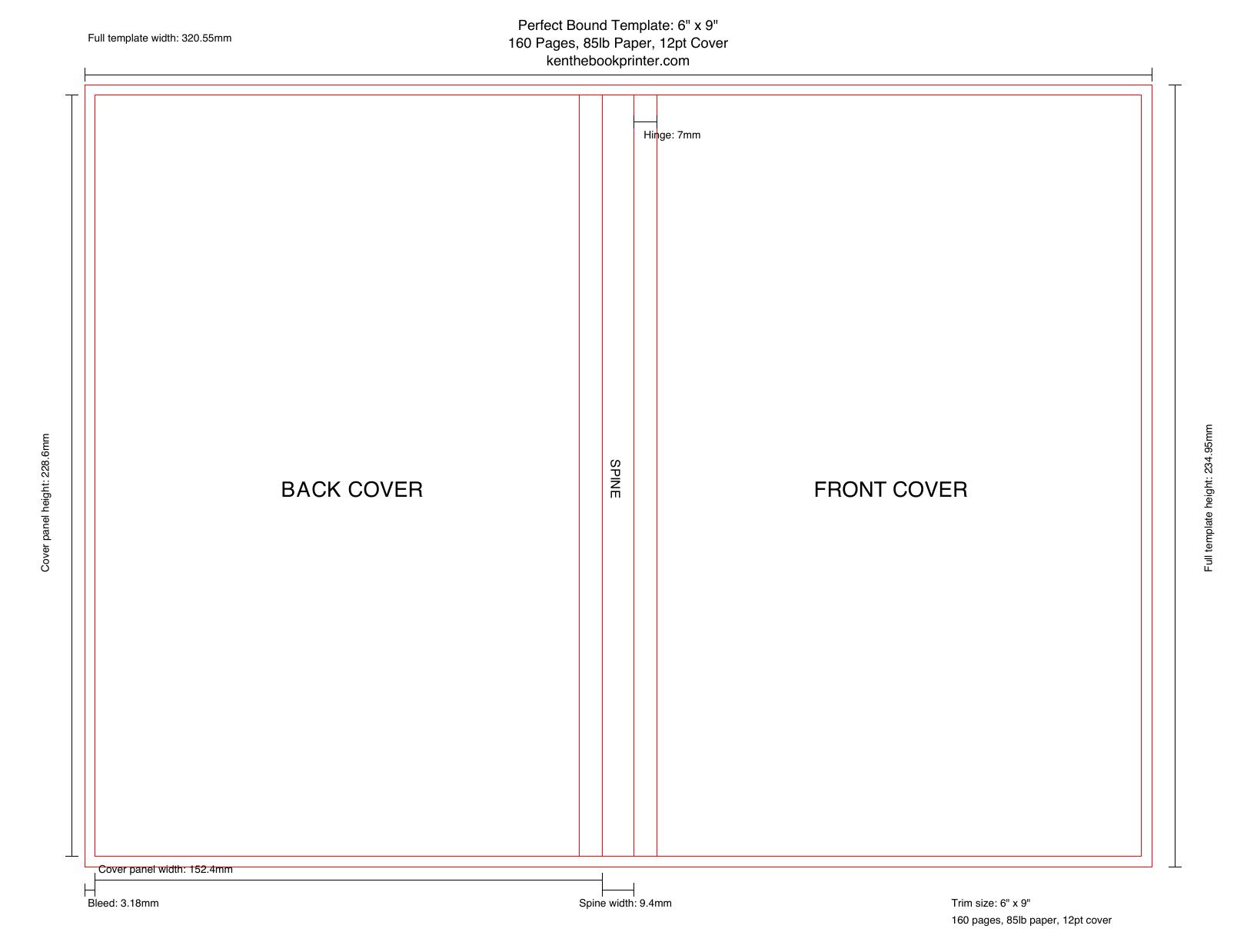
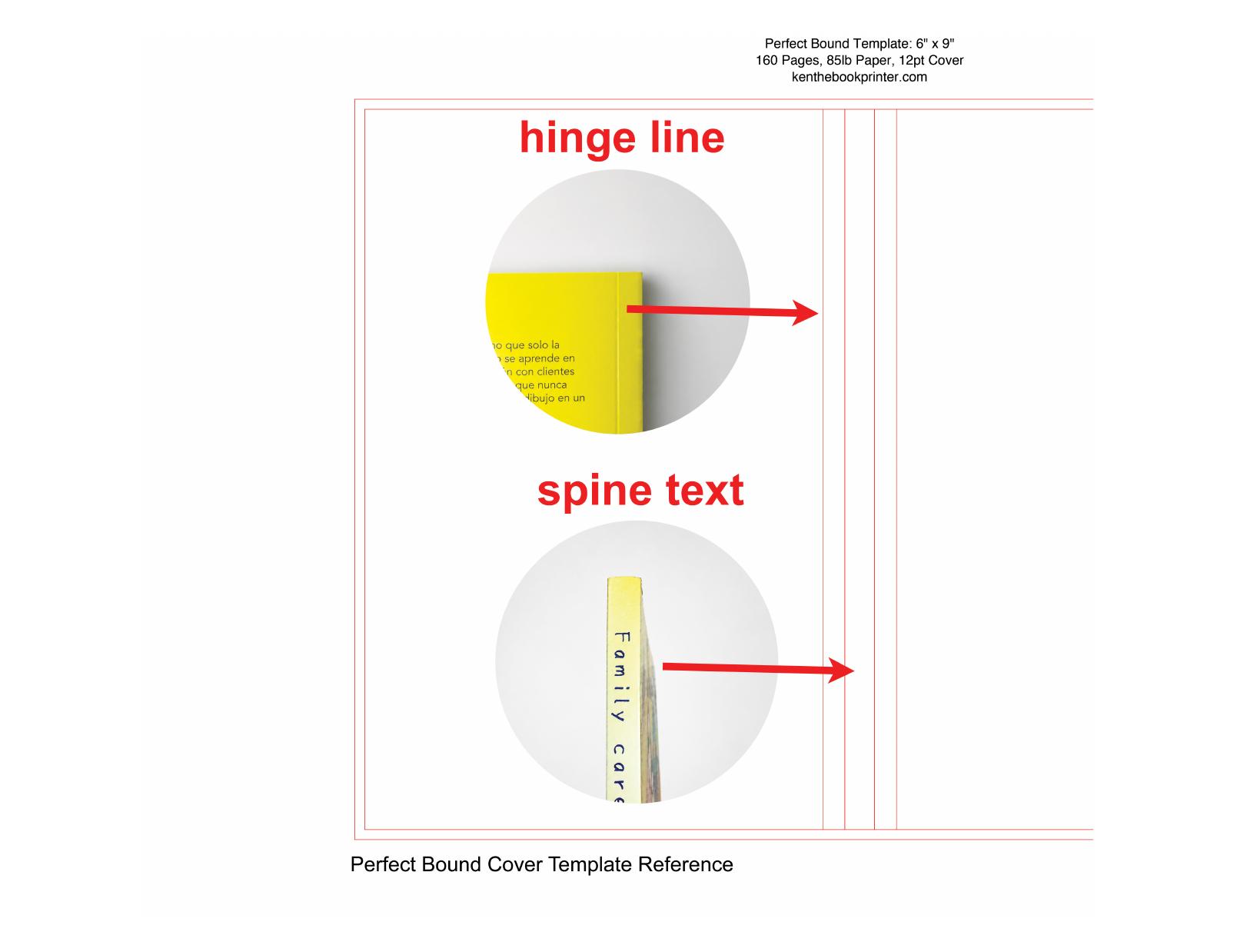
Use these settings when exporting your final perfect bound cover PDF from Adobe. Export the outside cover at full size, with the back cover, spine, front cover, and bleed in one file.
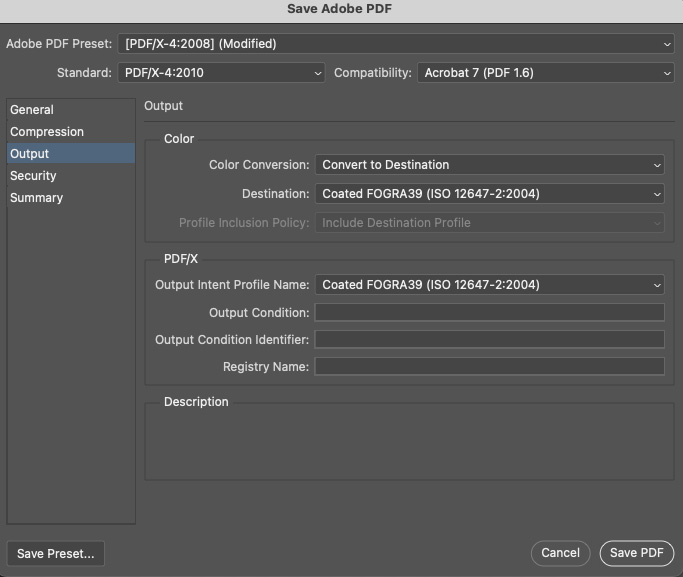
PDF presets and ICC color settings can get technical. For production, we mainly review the final CMYK values in the exported PDF, not whether every setting matches this screenshot. If your PDF opens correctly and the artwork looks right with no major color shift, missing artwork, or unexpected changes, it is generally ready to send for file review. For color-critical or complex projects, a printed sample is the best way to check the final result.
Use these preset PDFs for quick planning, early layout, or checking common perfect bound sizes. For final production artwork, use the custom generator above so the spine matches your actual book specs.
Helpful answers about sizing, cover setup, and using this perfect bound template.
Enter the finished book trim size. If the book is 6 x 9 inches, enter 6 for width and 9 for height.
Yes. Paperback, softcover, and perfect bound usually mean the same type of book. This template works for glue-bound books, including EVA or PUR binding. It also works for Smyth sewn softcover books. The cover layout is the same.
Not directly. This template is for a standard softcover without flaps. A French flap cover needs extra fold-in panels on the left and right sides, so the cover layout is different.
However, you can modify the template by adding flap panels to both sides. If you print with us, we can make the French flap width to match your desired size.
No. This template is for the outside cover only. If you want printing on the inside front cover or inside back cover, you can include those as part of the interior file. They are the first page and last page of the interior PDF.
Yes. You can use this cover template for the main cover artwork. Foil stamping, spot UV, and embossing usually need a separate file or layer showing exactly where the special finish should go.