
Page 1: Full Size Cover Template
- For Hardcover Book
- 1:1 full size
- No scaling needed
- Transparent guide layer
- Place over your artwork
- Works with 300 dpi artwork
- Hide or remove before final export
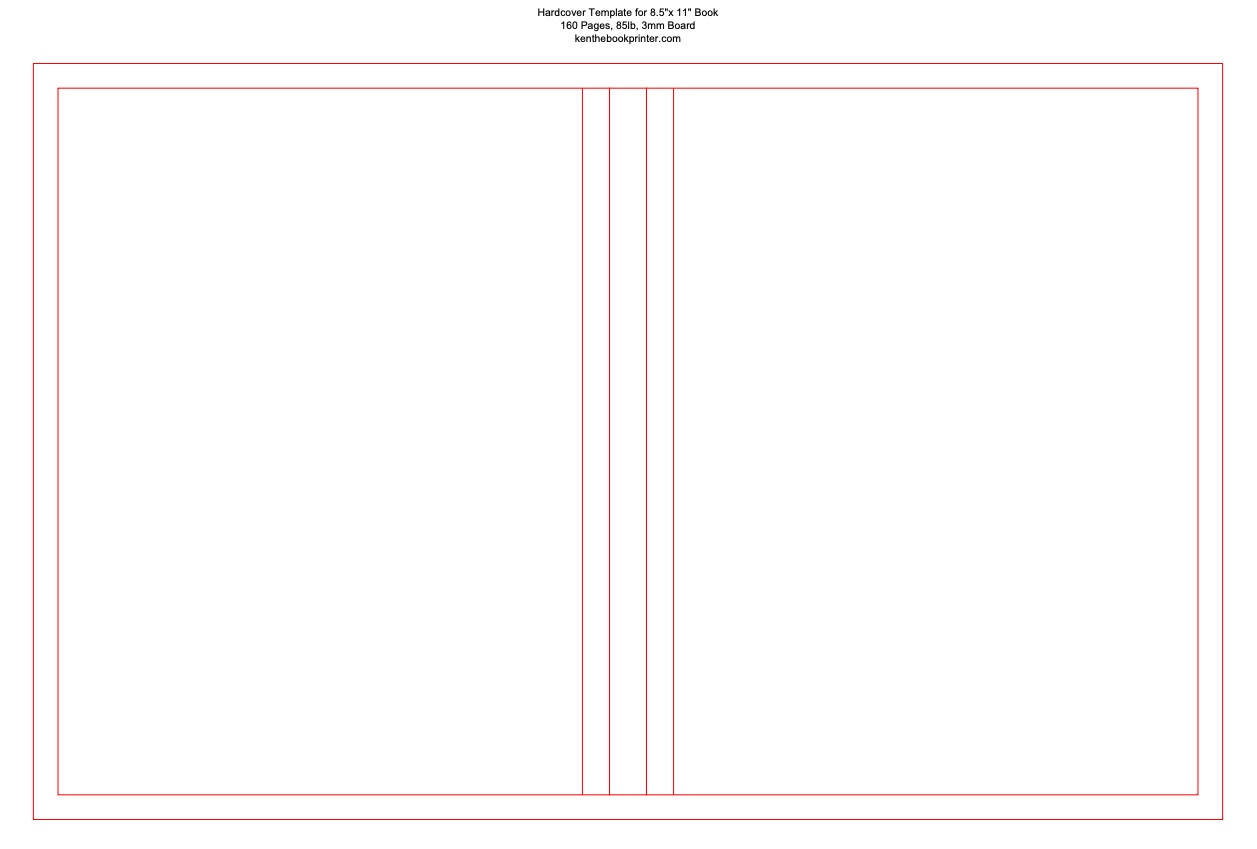
HARDCOVER COVER TEMPLATE TOOL
Create a custom hardcover cover template PDF based on your book size, page count, paper weight, and board thickness.
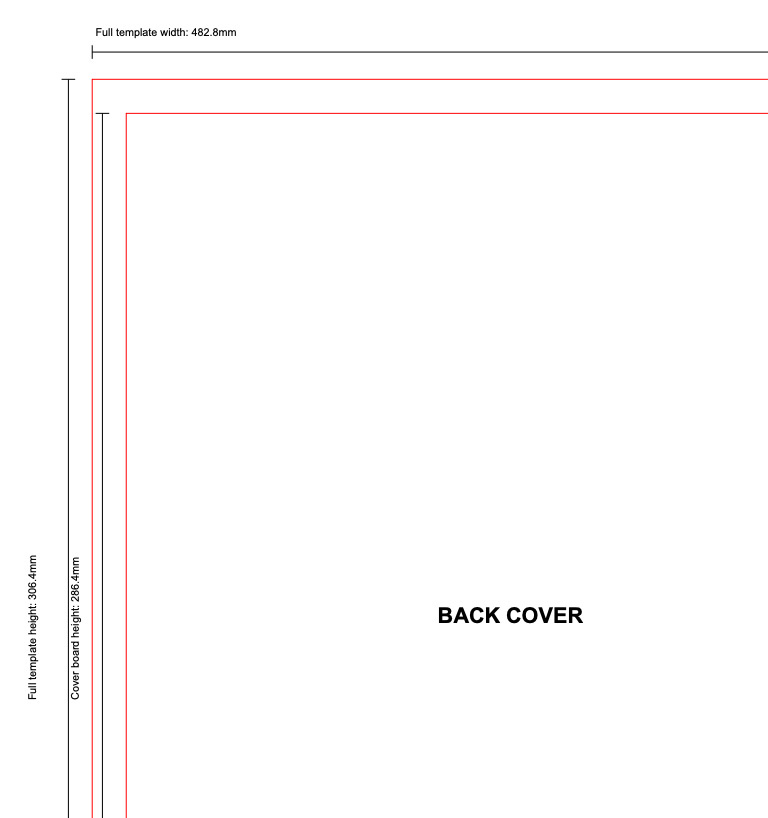
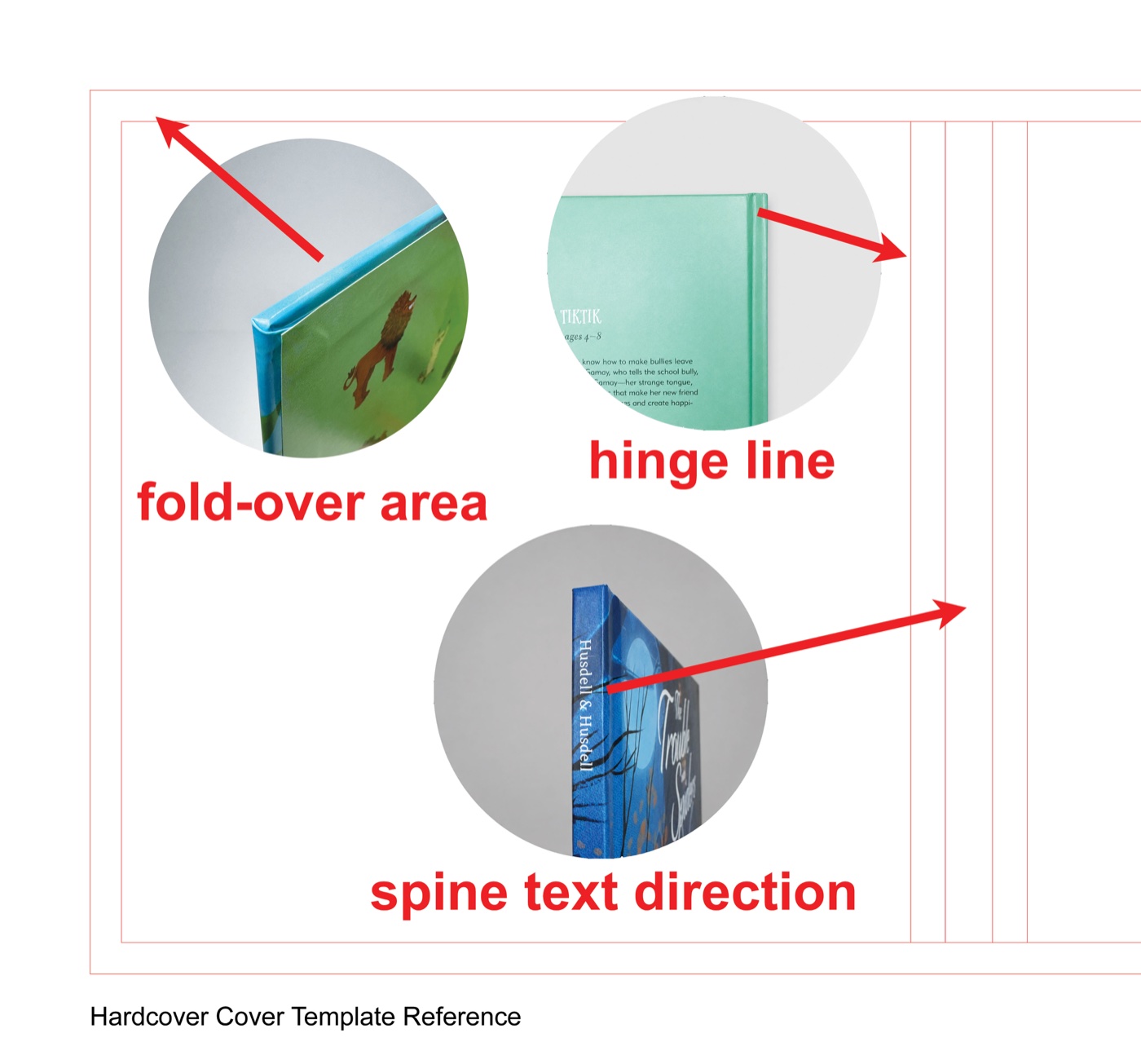
The tool calculates the spine for you and shows the full cover layout, including the front cover, back cover, spine, hinge area, and fold over area.
Enter your finished book size, page count, paper weight, and board thickness. The generator calculates the spine and builds the full hardcover cover layout from your specs.
Your PDF includes 3 pages: a full size template, a dimension guide, and a photo reference page.
Common hardcover cover setup issues we see. Review before designing and final export to keep your file production-ready.

Extend background color, texture, or full-bleed images all the way to the outer template edge. Keep important graphics inside the safe cover area.
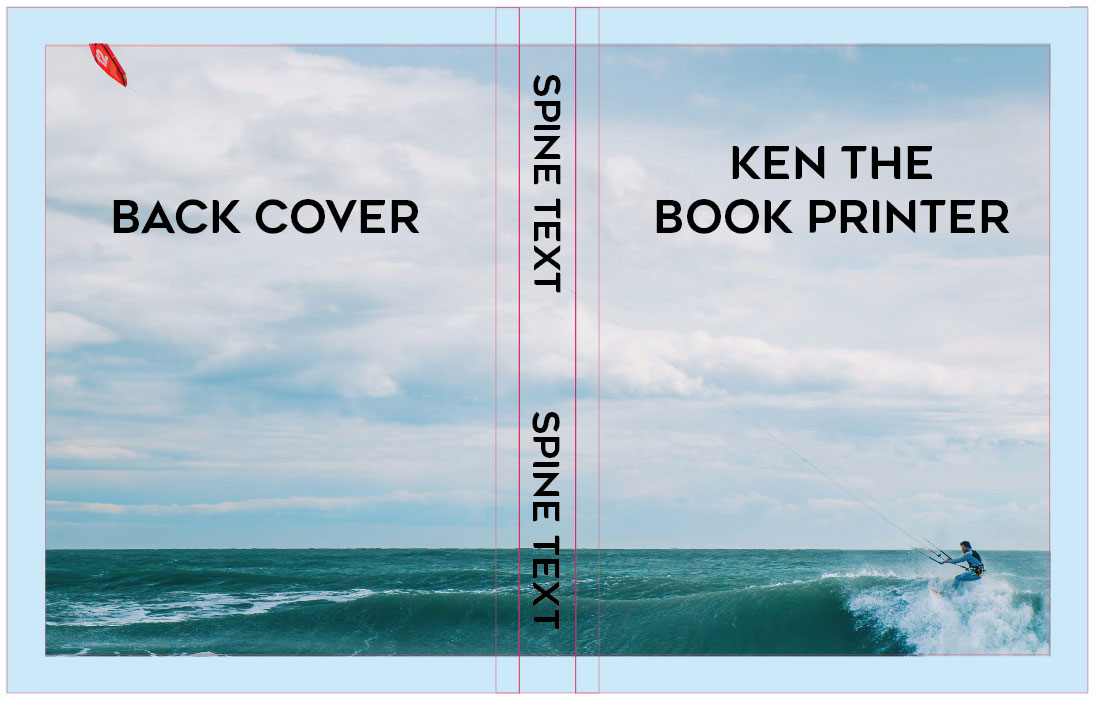
The artwork does not extend to the full template edge, which may leave uncovered areas after the cover wraps around the board.
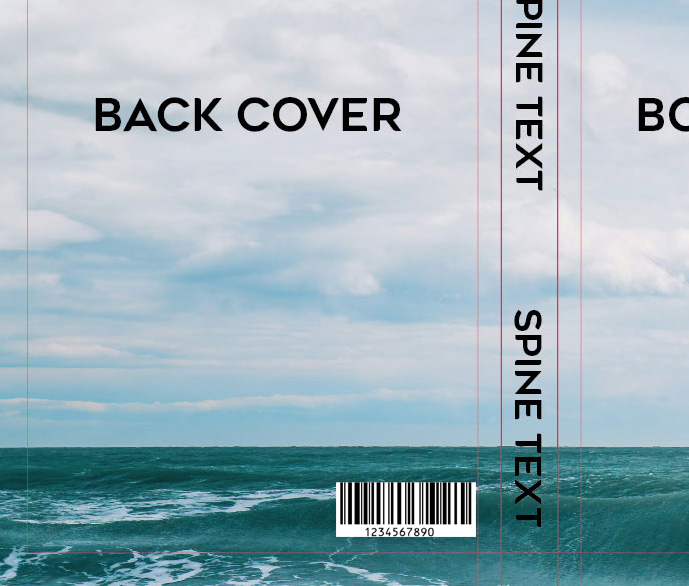
Keep barcodes away from the hinge line. Small cover shifts can bend or hide the code and make it hard to scan.
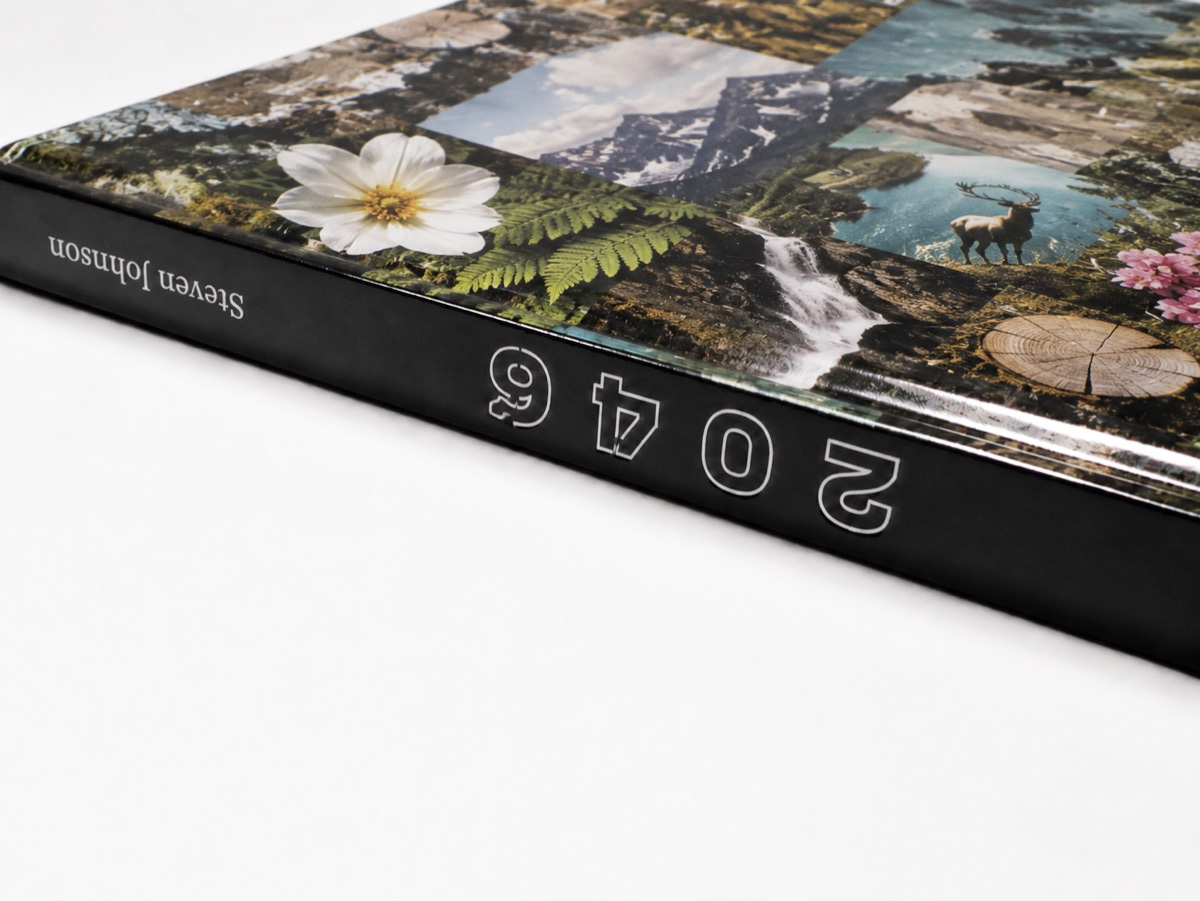
Check the spine text direction before exporting so the finished book reads the way you want on the shelf.
A good sense of production-ready files makes it easier to spot issues early. See more examples on our common file setup issues page.
Use these settings when exporting a new cover PDF from Adobe for print. This is a standard setup for modern offset printing and a good starting point for Ken the Book Printer projects.
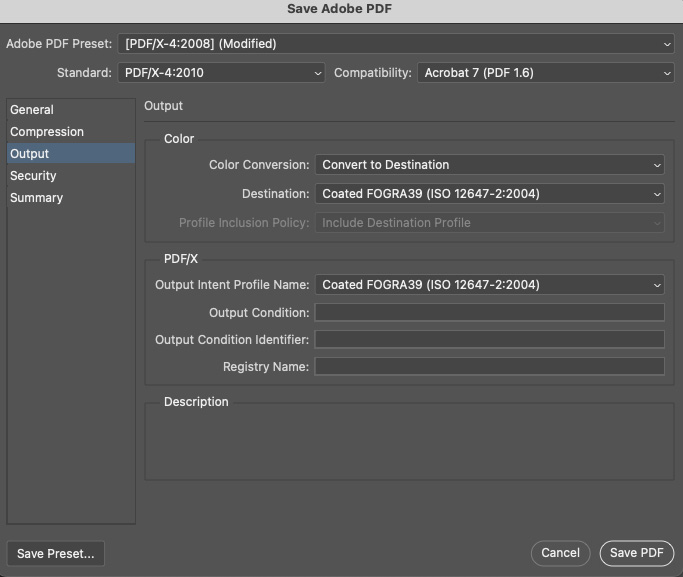
PDF presets and ICC color settings can get technical. For production, we mainly review the final CMYK values in the exported PDF, not whether every setting matches this screenshot. If your PDF opens correctly and the artwork looks right with no major color shift, missing artwork, or unexpected changes, it is generally ready to send for file review. For color-critical or complex projects, a printed sample is the best way to check the final result.
Use these preset PDFs for quick planning, early layout, or checking common hardcover sizes. For final production artwork, use the custom generator above so the spine matches your actual book specs.
Helpful answers to common questions about using the template and preparing your file.
Enter the finished book trim size. If the book is 8.5 x 11 inches, enter 8.5 for width and 11 for height.
The spine width is based on the book block thickness, the hardcover board thickness, and a small allowance for easier opening. These factors are all included in the calculator logic, because this is how a real hardcover case is built. If you only need the spine width, you can also use our spine width calculator.
Yes. Build your regular cover file with this template first. If the cover includes foil, spot UV, or embossing, or debossing, please also export a separate PDF at the same size and position. The separate PDF should only show the finishing mask area, usually in solid black, so it can line up correctly with the printed cover.
Yes. The cover material is chosen separately, such as linen or faux leather. Use this template to show where the foil should be placed. Please export the cover file with the template lines on, and show the foil area in solid black. The same also applies to blind debossing.